TR11-USB Transceiver
Part Number: 10082
Product Overview
The TR11-USB bridges wireless ANURA vibration sensors to a host PC over a direct USB connection. Unlike the TR1, which connects via PoE Ethernet for permanent, networked deployments, the TR11-USB is bus-powered over USB-C and designed for temporary, field diagnostic measurements in conjunction with the Vibreshark application.
Through the ANURA Transceiver API, exposed here over a USB transport instead of TCP/IP, your application can discover, configure, and communicate directly with up to 8 connected sensors.
Package Contents
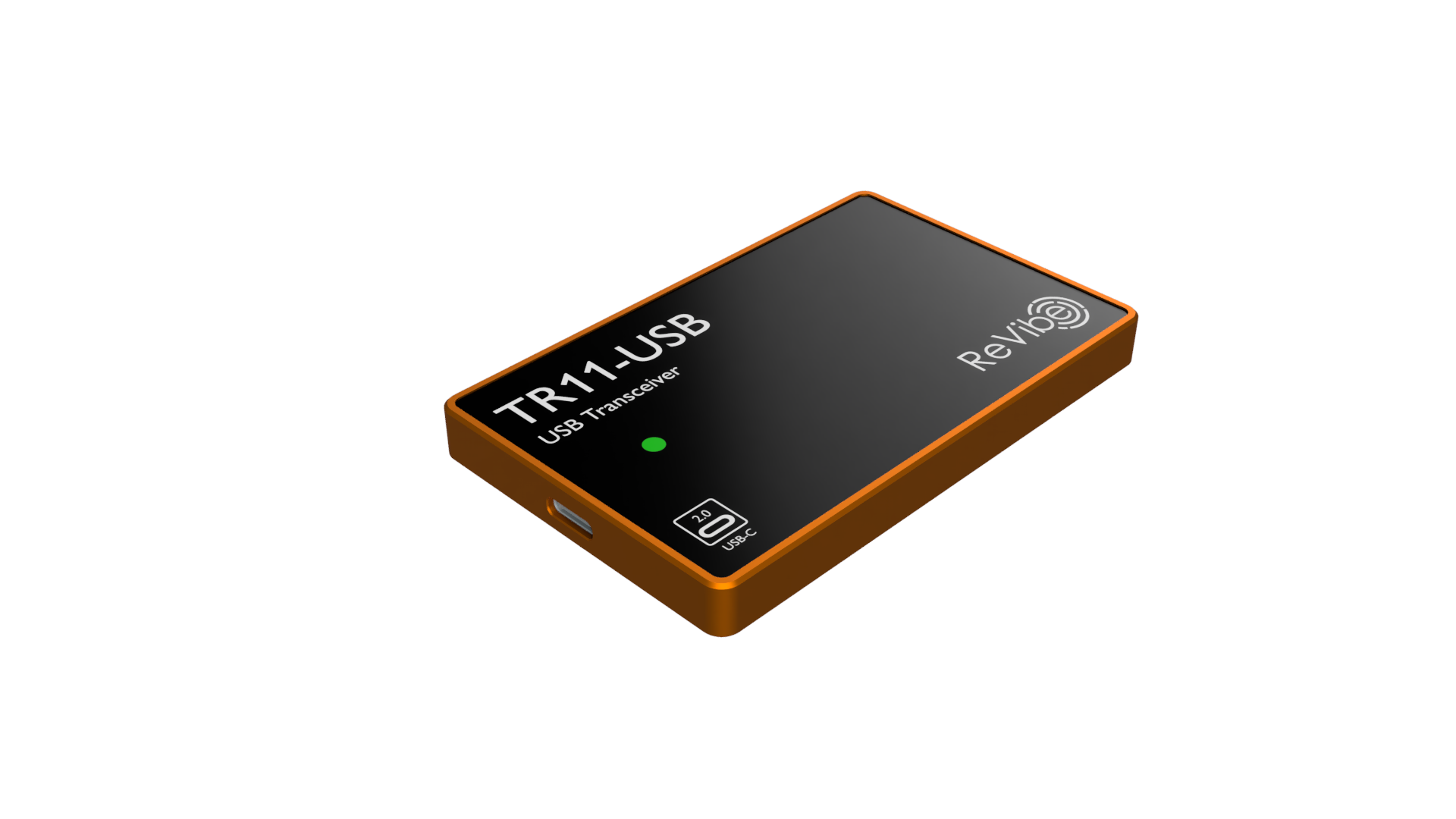
Part Number: 10082
Hardware Overview
USB-C Port
The TR11-USB connects to a host PC via a USB 2.0, USB-C receptacle. The port provides both data and bus power - no separate power supply or PoE injector is required.
Status LED
The TR11-USB has a single status LED, rather than the bank of per-sensor status LEDs found on the TR1. It reflects the most-advanced connection state across all assigned sensor nodes:
LED State |
Indication |
|---|---|
Off |
No assigned nodes are connected |
On (solid) |
At least one node has an active connection; protocol initialization in progress |
On (blinking) |
At least one node is fully connected and operational; blinks briefly to indicate active data transmission |
Configuration
Like other ANURA transceivers, the TR11-USB does not store configuration in persistent memory - it must be configured after each connection via the ANURA Transceiver API. Your application must provide the assigned nodes list: the Bluetooth Low Energy addresses of the sensor nodes the TR11-USB should connect to.
Modifying the assigned nodes list does not interrupt TR11-USB operation. When a node is removed from the list, it is disconnected while other connections remain active. The TR11-USB automatically attempts to connect to all assigned nodes and maintains those connections.
Theory of Operation
The TR11-USB operates as a transparent bridge between your application and wireless sensor nodes. The typical workflow is:
Discovery: Your application enumerates USB devices and identifies the TR11-USB by its vendor/product ID
Connection: Application opens the USB device and claims its interface
Configuration: Application provides the list of assigned sensor nodes (BLE addresses)
Connection Management: TR11-USB automatically connects to assigned nodes and notifies your application of connection/disconnection events
Sensor Communication: Application communicates directly with sensors through the TR11-USB using AVSS bridge facilities
Connection Management
The TR11-USB continuously monitors connections to assigned nodes:
Automatically reconnects to nodes that disconnect
Reports connection state changes to your application via API notifications
Your application can query the list of currently connected nodes, including per-node signal strength (RSSI) and whether the AVSS service has been fully discovered and is ready for use
When a sensor node restarts, the TR11-USB reconnects automatically. Sensor settings persist across restarts, but since they may reflect a previous session, your application should still verify and, if necessary, reapply its expected configuration
AVSS Data Flow
When the TR11-USB connects to a sensor node, it establishes access to the AVSS service and its four GATT characteristics. The TR11-USB manages the Timesync Config Characteristic automatically to maintain time synchronization. The remaining three characteristics are exposed to your application through the AVSS bridge features of the Transceiver API:
Report Characteristic: Notifications from the sensor are forwarded as asynchronous API notifications to your application
Control Point Characteristic: The TR11-USB provides synchronous request/response access via an API method—the underlying BLE Write/Indicate exchange is handled transparently as a single RPC call
Program Characteristic: Used for sensor firmware updates (DFU). Your application can write firmware data to this characteristic, and notifications from the sensor during the update process are forwarded as API notifications
Time Synchronization
The TR11-USB acts as a time synchronization master for its connected sensor nodes. After connecting to a sensor, the TR11-USB automatically configures the sensor’s time synchronization to follow its own clock using the proprietary ANURA Timesync Protocol, maintaining a typical offset of less than 5 μs.
ANURA Transceiver API
The TR11-USB exposes all functionality through the ANURA Transceiver API over a USB transport. The API is built on the same CBOR-RPC protocol used by network-connected transceivers, framed over USB bulk endpoints instead of TCP.
Key Capabilities:
Device Management: Configure assigned nodes, query device status
Device Identification: Query the unit’s unique device ID and manufacturing serial number—useful for disambiguating multiple TR11-USB units connected to the same host
Connection Monitoring: Receive real-time notifications of sensor connections/disconnections
AVSS Bridge: Transparent proxy for communicating directly with sensor AVSS services
Time Management: Set time, query synchronization status
For complete API documentation, see ANURA Transceiver API and USB Transport for USB-specific enumeration and framing details.
Specifications
Dimensions (excluding mounting accessories) |
86 × 54 × 8.4 mm |
Weight |
70 g |
Power Supply |
USB 2.0, 5 V, <100 mA (bus-powered) |
Typical Power Consumption |
<100 mW |
Enclosure Material |
Orange anodized aluminum alloy |
Input Connections |
USB 2.0, USB-C receptacle |
Wireless Communication |
2.4 GHz |
Maximum Number of Sensors |
8 |
Antenna Gain |
typ. 6 dBi |
TX Power |
typ. 0 dBm |
RX Sensitivity |
-98 dBm |
Data Rate |
2 Mbps |
Frequency |
2.400 to 2.483 GHz |
Time Synchronization Offset |
typ. <5 µs |
Operating Temperature |
-40 °C to +80 °C |
Storage Temperature |
-40 °C to +80 °C |
Relative Humidity |
0% to 95% non-condensing |
Ingress Protection |
IP65 |
Expected Product Lifetime |
|