VS1 Vibration Sensor
Part Number: 10067
Product Overview
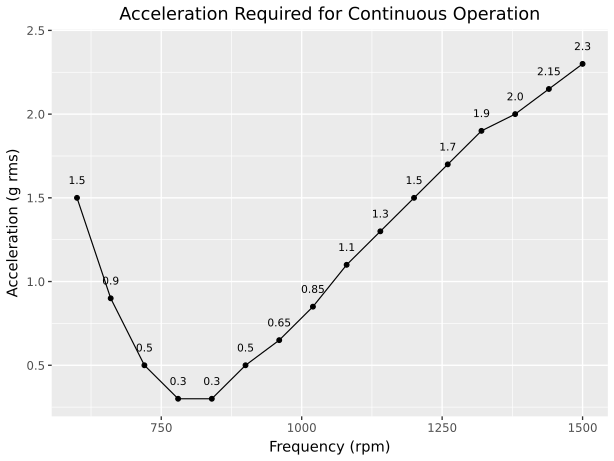
The VS1 is a self-powered wireless vibration sensor for monitoring vibrating machinery such as screens and feeders. The integrated energy harvester operates in the 10–22 Hz frequency range, which corresponds to common operating frequencies of screens and feeders in mining and aggregates applications.
The energy harvester powers the sensor from the machine’s vibration, while an integrated battery provides standby power. This allows the VS1 to capture startup events and continue operating during periods when vibration levels are insufficient for energy harvesting.
The VS1 mounts magnetically to equipment and communicates wirelessly using the ANURA Vibration Sensing Service protocol. The IP67-rated enclosure is suitable for industrial environments with temperature extremes, dust, and moisture.
Package Contents
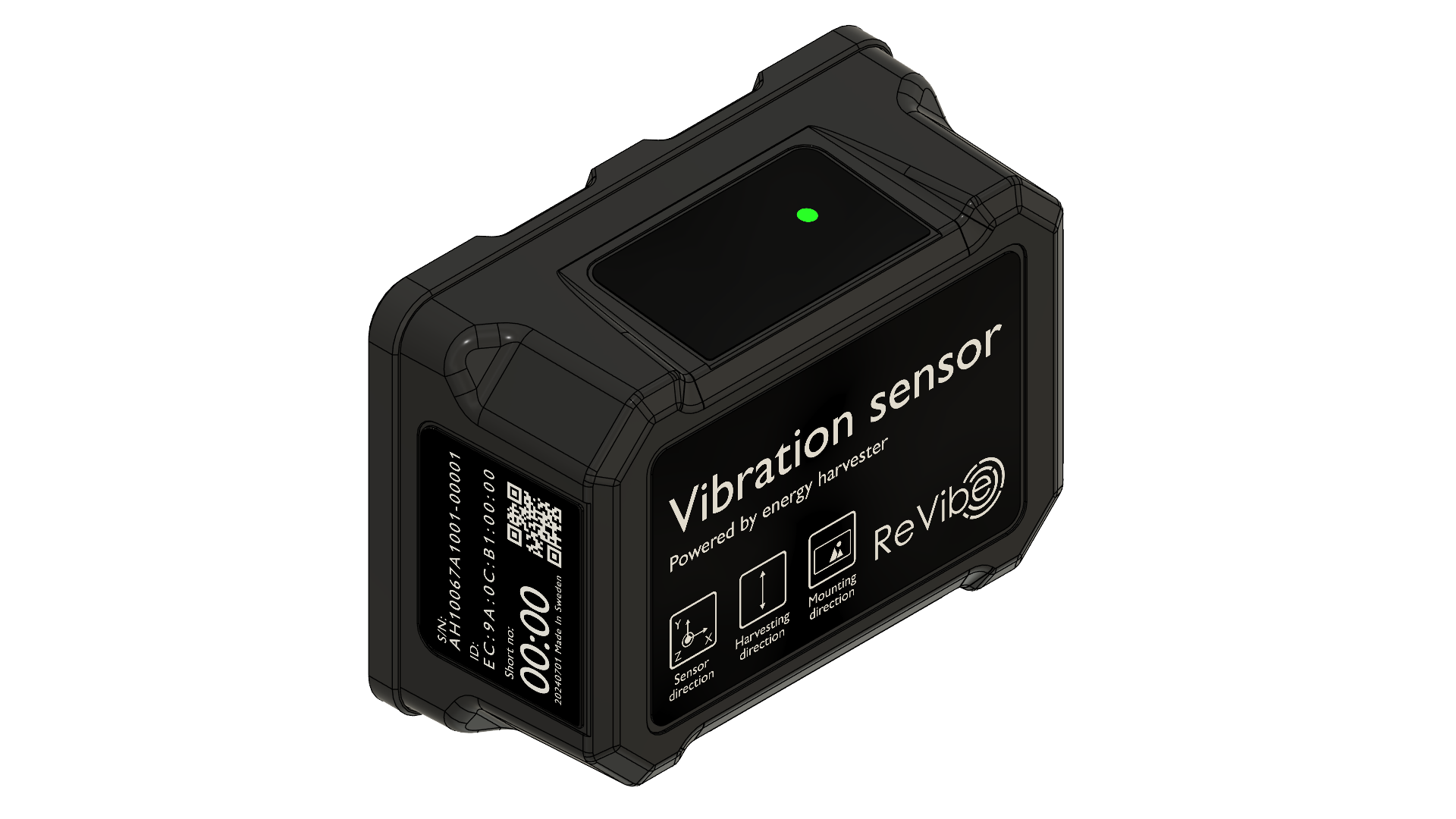
Part Number: 10067
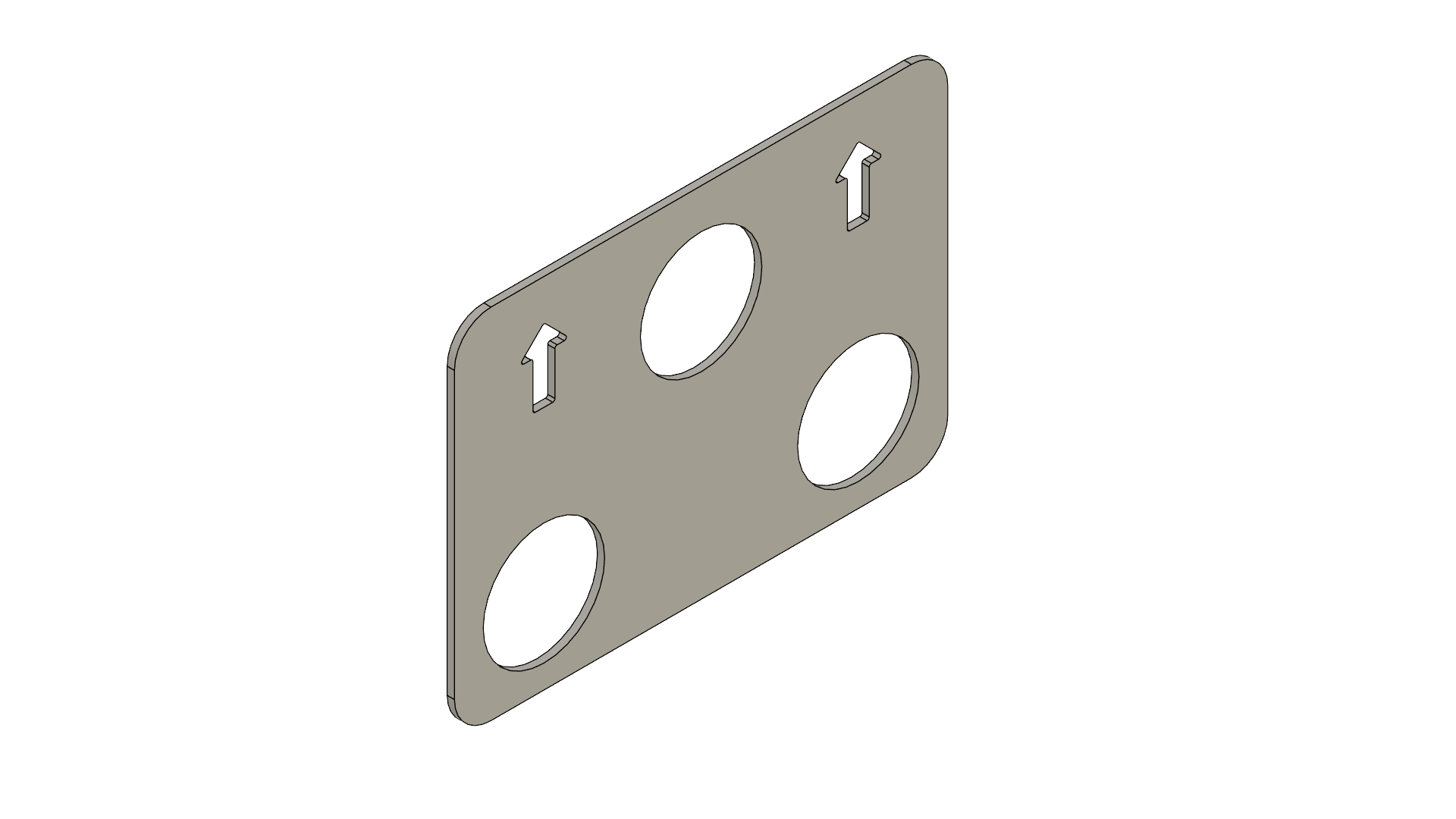
Part Number: 20332
Hardware Overview
Status LED
The status LED on the top panel indicates sensor state and activity.
LED Pattern |
Indication |
|---|---|
Green (solid, 1 second) |
Reset or activation confirmation |
Green (continuous blinking) |
Working Mode - active sampling |
Red (blinking then solid) |
Deactivation confirmation |
Red (2 rapid blinks) |
Battery Protection Mode entered |
Off |
Stand-by Mode or Deactivated state |
Installation
[TBD]
Energy Harvester
[TBD]
Operating Modes
When activated and operational the sensor automatically transitions between the following operating modes based on detected motion levels and configuration.
- Working Mode
Working Mode is the normal operational state when the sensor is activated and motion is detected.
In Working Mode, the sensor actively samples its accelerometer and processeses the signal, creating segments at configured intervals, and computes aggregated metrics through edge processing, and transmits data via Bluetooth Low Energy to the transceiver. The status LED continuously blinks green to indicate active sampling.
The sensor may be forced into Working Mode from Stand-by Mode by a client issuing the Trigger Measurement command.
- Stand-by Mode
Stand-by Mode activates automatically when motion falls below configured thresholds.
In Stand-by Mode, the sensor does not sample and process data from the accelerometer. No new signal segments or aggregated metrics are produced, though measuremetns remaining in the sensor’s data buffer may still be transmitted.
When motion exceeds the configured wake-on-motion threshold, the sensor automatically transitions back to Working Mode.
Battery Protection Mode
Battery Protection Mode engages automatically when battery voltage drops to critically low levels. This mode prevents deep discharge damage that would reduce battery lifespan or cause permanent damage.
In Battery Protection Mode, all sensor and radio functionality is disabled. Only battery voltage monitoring remains active. The sensor continuously monitors the battery charge level and automatically resumes normal operation once sufficient charge is attained through energy harvesting.
Configuration
The VS1 is configured by the application or system using it via AVSS (ANURA Vibration Sensing Service). Configuration settings are persistent across reboots and include sampling parameters, motion detection thresholds, aggregated metrics, event detection, and more.
Important
Since the VS1 retains settings from previous sessions, applications should always write and apply the expected configuration before use to ensure consistent operation.
See AVSS Settings Reference for a complete list of available settings and their descriptions.
Vibration Measurements
In Working Mode, the accelerometer is continuously sampled and the data is fed through a data processing pipeline comprised of several modules. Each module operates independently according to its configuration:
Scheduled Acceleration Waveform Segments
Acceleration waveform segments, called snippets, are collected in one of two modes:
- Interval Mode
Snippets are captured at a configured interval. A fixed number of samples are collected, with the collection window aligned to start at an even multiple of the interval. This means snippet start times are aligned across sensors with the same snippet interval, enabling synchronized data collection.
- Continuous Mode
The interval setting is ignored. New snippets are collected continuously such that there is no overlap or gap between sequential snippets, allowing reconstruction of a continuous waveform.
Snippets are stored in a ring buffer where the oldest entry is overwritten by the newest one. They are received as Snippet Reports and requested by issuing the Report Snippets command.
Aggregated Vibration Signal Metrics
The raw acceleration signal is continuously processed through the following stages: First, a high-pass filter removes the DC component. The filtered signal is then integrated to derive velocity and displacement signals. Finally, aggregated metrics such as RMS, crest factor, peak, and FFT peak frequency are computed over a configured aggregation window, with each metric calculated based on all samples within that window.
Aggregated metrics are stored in a ring buffer where the oldest entry is overwritten by the newest one. They are received as Aggregated Values Reports and requested by issuing the Report Aggregates command.
Event-Triggered Waveform Capture
Note
This feature is experimental.
Waveform data can be collected based on specific events (such as motion start) rather than on a time-based schedule. Captures can include pre-trigger data from a circular buffer to record conditions leading up to the event.
Time Synchronization
In Working Mode, the VS1 periodically synchronizes its internal clock to its designated time synchronization master, typically the transceiver it is connected to. Time synchronization occurs immediately after transitioning from Stand-by Mode to Working Mode and is then repeated every 5 seconds. Full synchronization performance is achieved after two synchronization intervals.
The synchronized sensor clocks enable precise, coordinated measurements across the entire sensor network. All measurement timestamps use the synchronized time base, allowing data from different sensors to be accurately correlated in time. Periodic acceleration data measurement windows are aligned to the synchronized time base, enabling simultaneous data collection across all sensors.
Note
While sensor clocks are synchronized to within a few microseconds, the start timestamps of measurement windows from different sensors may differ by up to one sample interval (hundreds to thousands of microseconds). This is expected behavior—the system makes a best effort to align data measurement windows, but perfect alignment is not guaranteed.
ANURA Vibration Sensing Service
The VS1 communicates via AVSS (ANURA Vibration Sensing Service), a Bluetooth Low Energy GATT service that provides the interface for configuration, control, and data retrieval. AVSS enables applications to write configuration settings, trigger measurements, request data reports (snippets, aggregates, captures), and monitor sensor status.
For complete API documentation, see AVSS Reference.
Specifications
Dimensions |
135 × 98 × 64 mm |
Dimensions (without magnets) |
135 × 98 × 60 mm |
Weight |
750 g |
Energy Harvester Range |
10–22 Hz |
Radio Interface |
Bluetooth Low Energy (2.4 GHz) |
Antenna Gain |
6 dBi |
TX Power |
0 dBm |
Certifications |
CE, FCC |
Mounting |
3× pot magnets (approx. 60 kg pull force) |
Operating Temperature |
-40 °C to +80 °C |
Operating Humidity |
5% to 95% non-condensing |
Storate Temperature |
0 °C to +45 °C |
Ingress Protection |
IP67 |